“Creative Lab”
Creative lab is a part of R&AE with 8 members team in RNTBCI. Creative lab keep pace with fast moving technology and customer demands. Creative lab mainly concentrate on 4 areas Product innovation, Process innovation, Logistic or transportation, and Marketability idea.
The Creative Lab is a shared platform that encourages everyone in the organization to pitch and collaborate on innovative ideas. Mirroring this model, similar labs are also located in France, Brazil, Romania, and Korea.
Creative lab works closely with teams inside organization and aware about each team’s skillset. C-Lab also connected with agencies outside for strong technical support and encourage employees to come and participate in different events like: Technical talks, Brainstorming events, and Collaborative works with universities and labs.
“Toto”
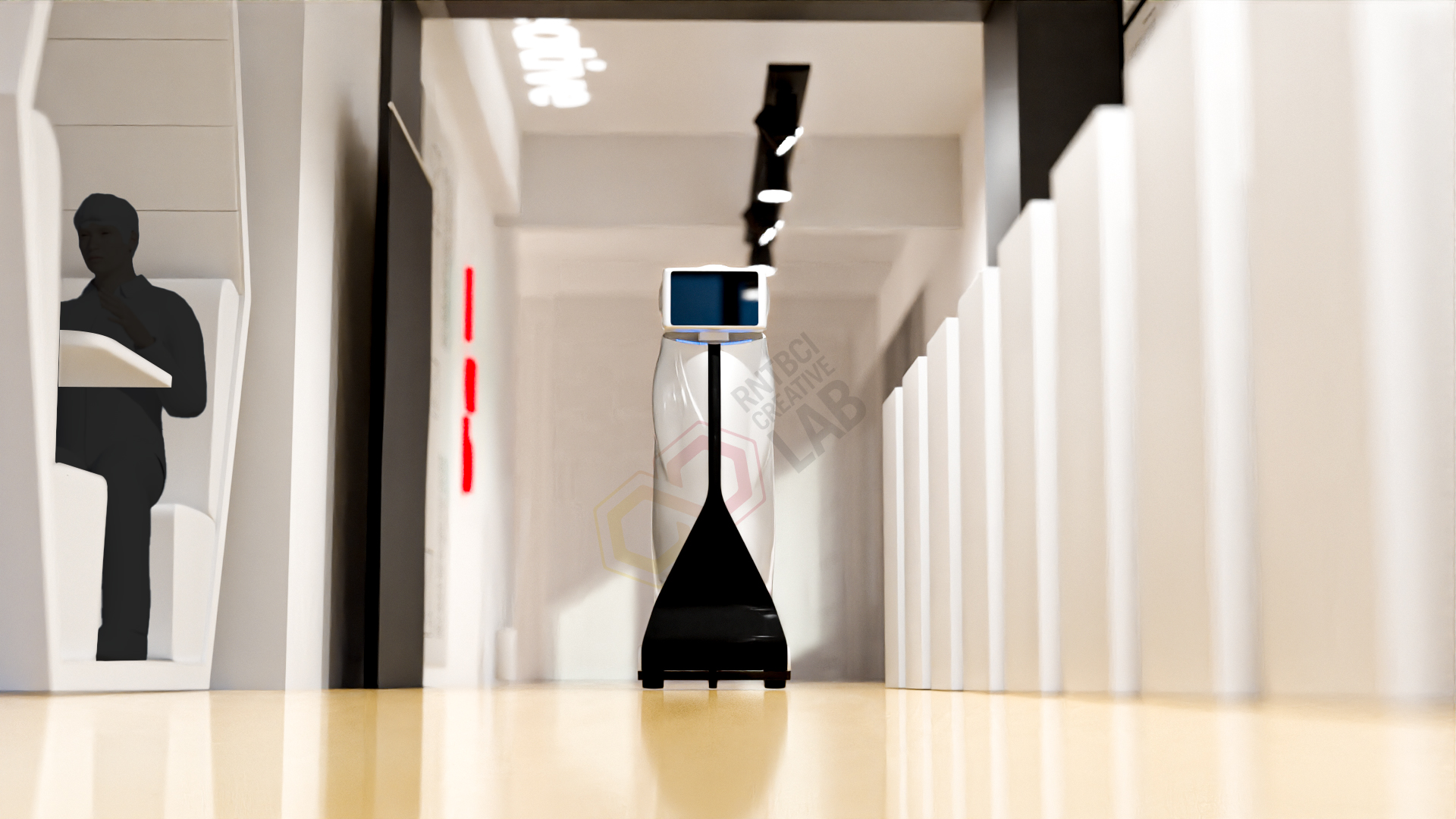
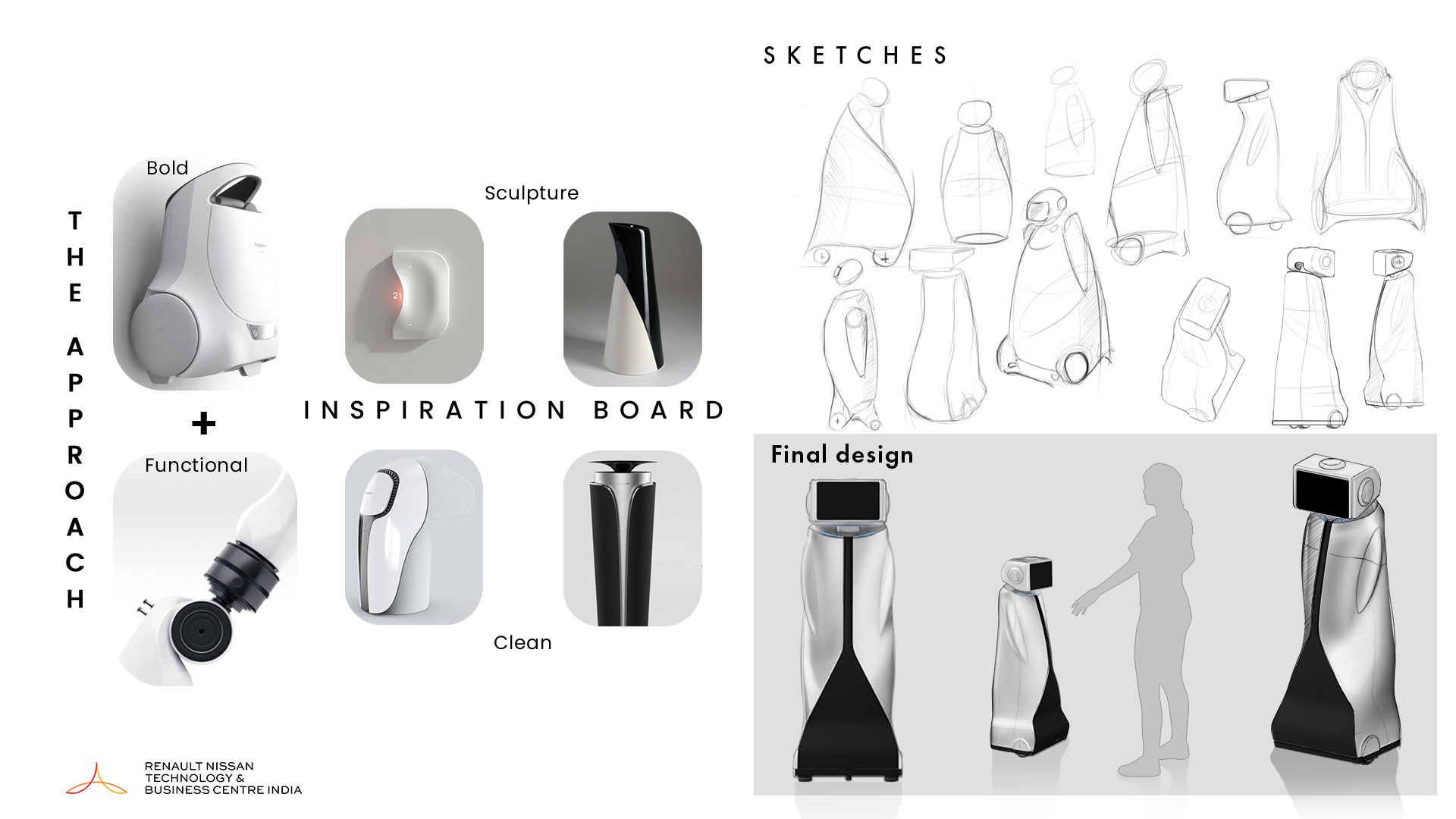
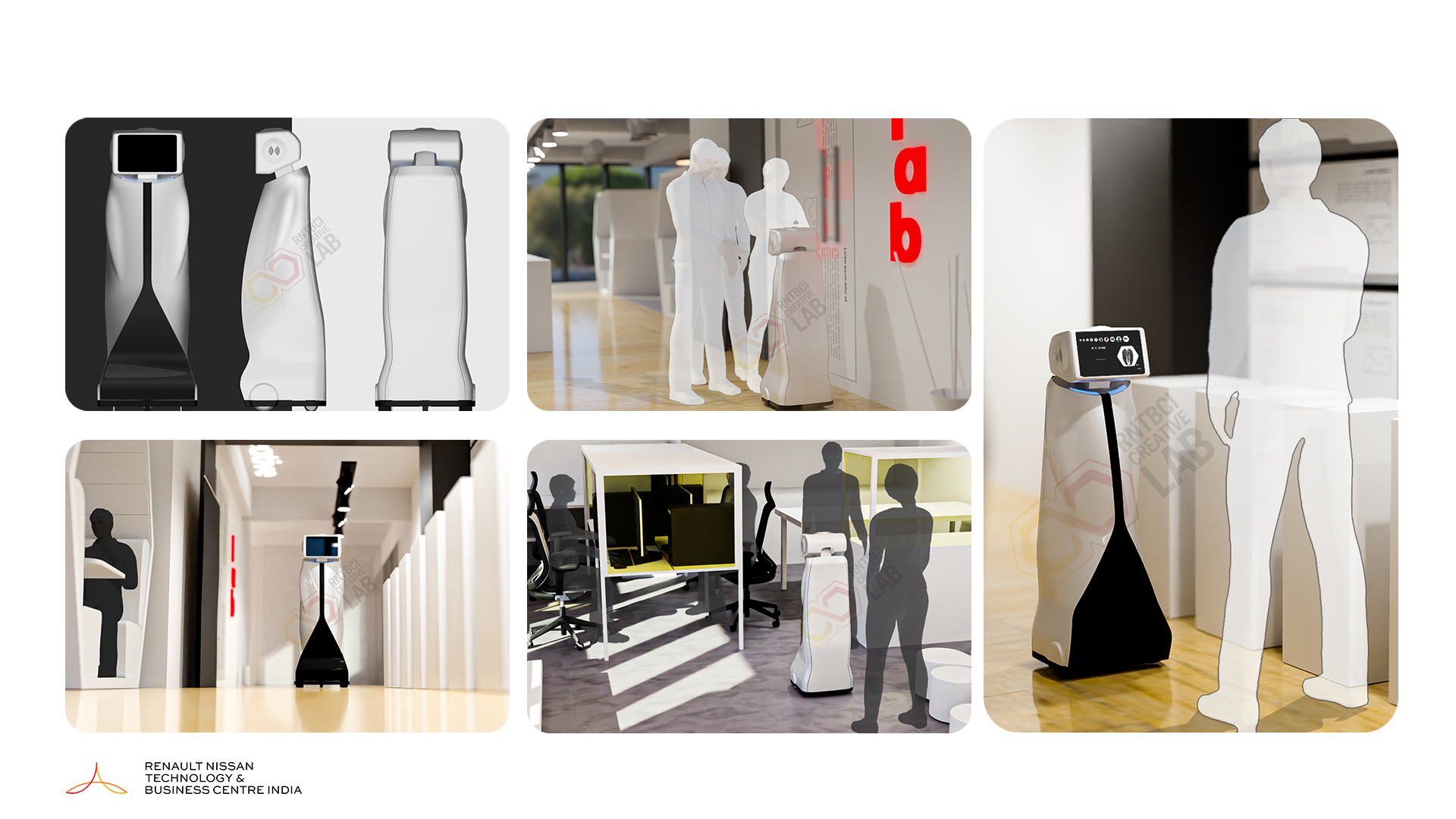
We started the project by designing a telepresence robot with the theme Bold, clean and functional which represents the creative lab. Initially started with sketching and we finalised the form and further developed in 3D
“Problem Statement”
Creative Lab conduct various Technology events like Technology expo, Creative workshops, Fabrication lab support for all employees in organization and Managing the regular visit of the employees is an important task for many collaborative activities.
“Concept”
Introducing a Telepresence robot to make a connection with visitors giving them a sophisticated feel. Robot will manage activities like meet and greet visitors, giving intro, Technology explanations etc.
Following a goal based design process for this project, we rounded out some key questions that would help later help drive our process further. This was the first step when listing out our initial assumptions about our users and the product.
- What is the Problem?
- What is the Concept?
- What is the Functionality?
- How can we solve the problem?
- How can we create a product that is accessible by the users?
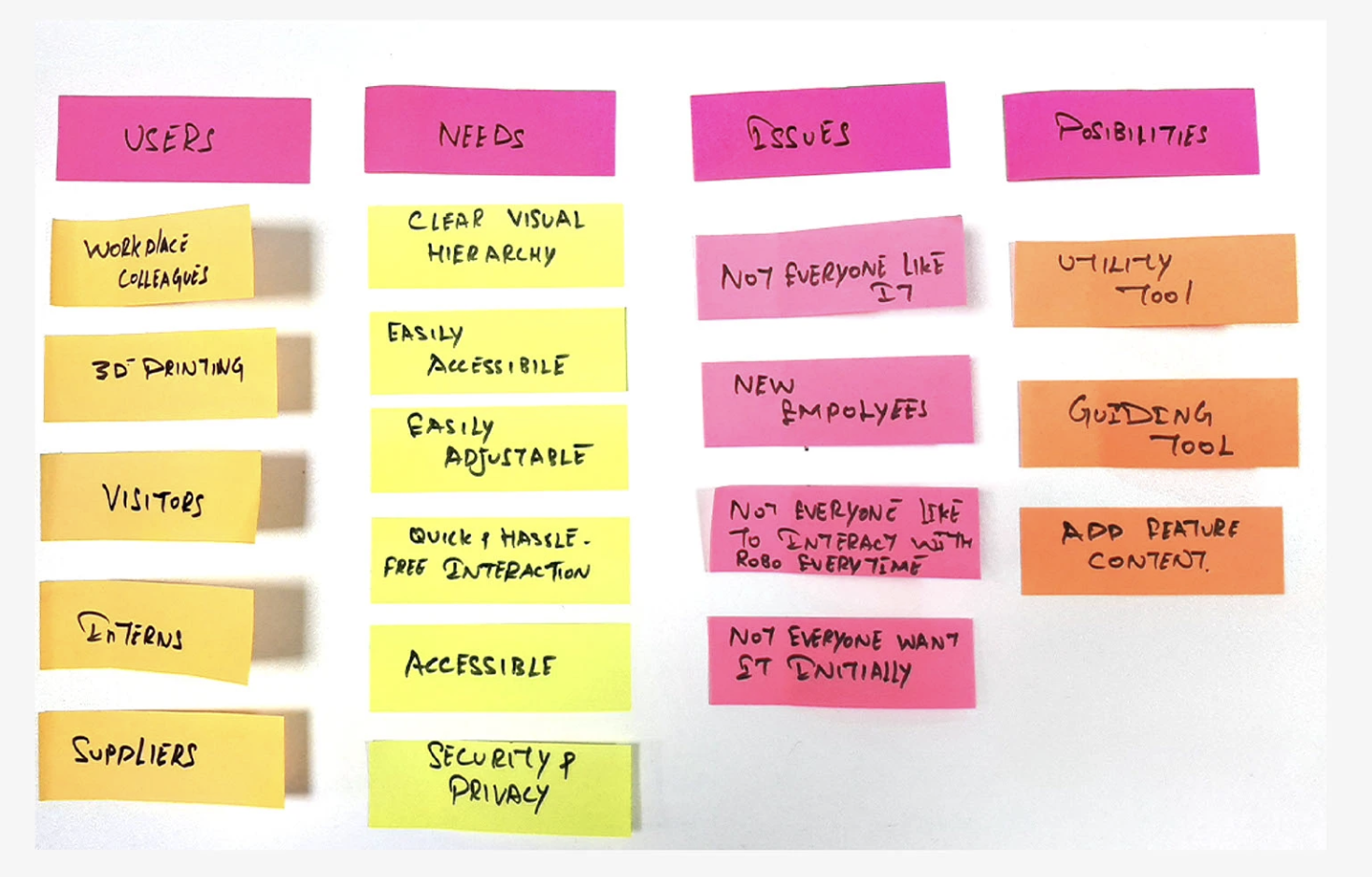
We used affinity map to identify not only the general scope of the product, but which direction we wanted to take Toto UI. This was a form of team brainstorming during our kickoff that proved to be very helpful in setting up a good foundation for our Toto ui design.
“Research”
In this section, we will take a look at common behaviors between the user and Toto, in which pattern the content flow should be interact with users.
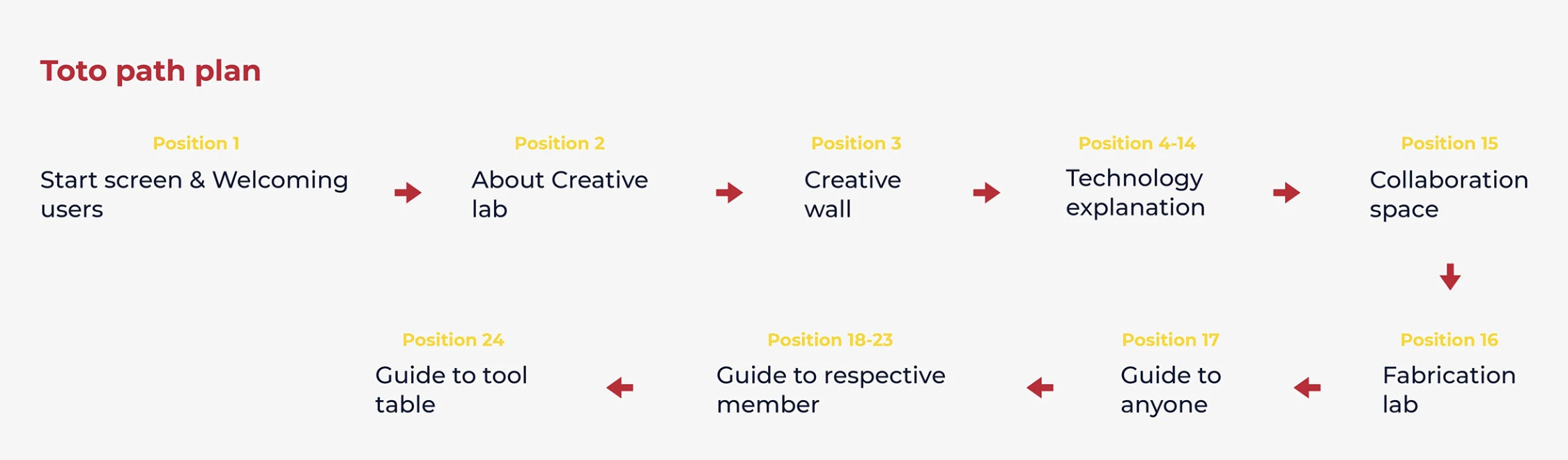
A questionnaire session was conducted to plan the UX flow of Toto. To better understand how we would construct the core experience for Toto with respective to it’s path plan, as well as we planned how Toto will interact in each of it’s respective positions.
- For whom we designing Toto?
- How often people visit creative lab?
- What are some key functions of Toto?
- What are the contents we should add?
- What are the difficulties we have while planning content flow?
- What are the difficulties visitors facing while visiting Creative lab?
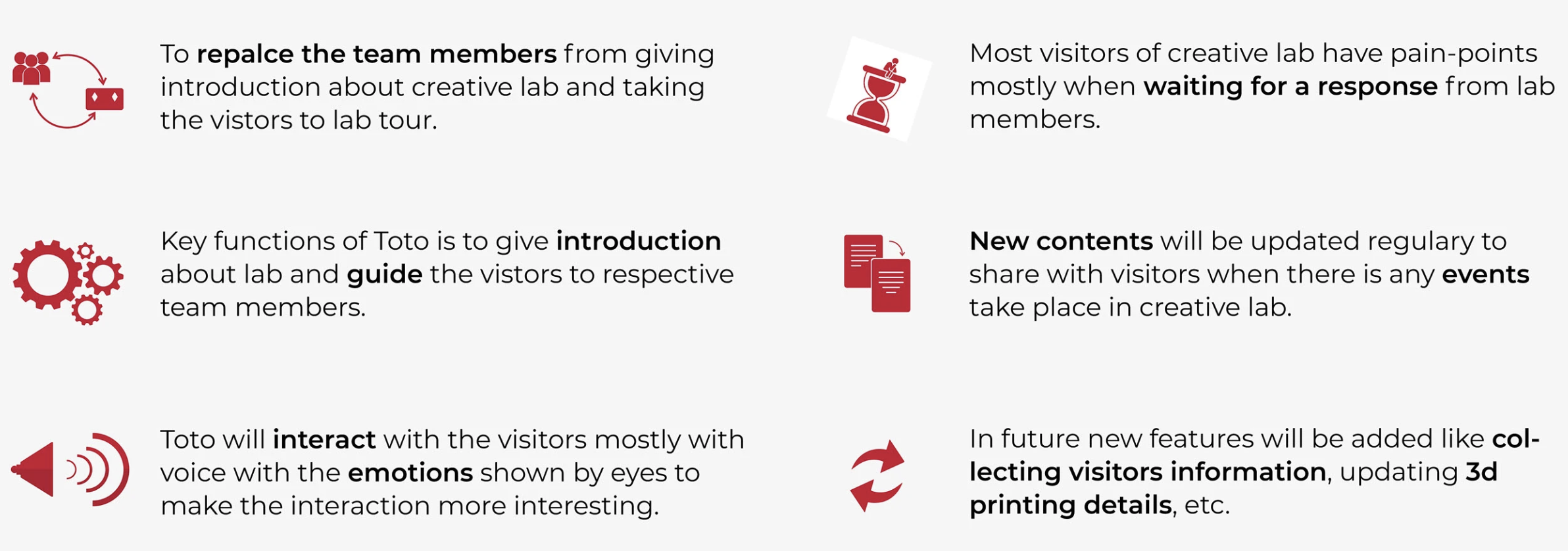
Toto user experience is essentially based on how visitors feel when they interact with it. we aim to fill the gaps between user and Toto to give great and informative experience which is accessible through 10" inch tablet. As well as we want to make it more interesting to interact with some animations to show the emotions of Toto to the users.
- Move forward with 10" inch display in mind.
- Create a clear, linear and simple UI to make it informative content.
- Intuitive UI elements to express different emotions and contents.
- Clear informational hierarchy to help the visitors.
- Captions to be displayed whenever there is a voice explanation to give more clear information about each.
“Persona Creation”
We created a personas for the project, through a goal based design process, we put emphasis on finding the user’s goals before moving to the design process. in this section we identify two personas, both essential to building an intuitive experience.
Sreejith krishnan
Senior Engineer

Works in the Powertrain department as senior engineer with 6 years of experience. Sreejith and his team are responsible to print 3d parts for the projects.
Goal
- Likes to get results ontime
- Friendly environment
- Professional growth
Frustration
- Too difficult to get updates
- Not being able to contact respective person.

Divya
Mariyappan
Graduate Engineer Trainee
Divya is 22 years old recent graduate who joined the organisation as graduate engineer trainee.
Goals
- Motivated to find new things
- Being the first to know about something new
- Professional growth
Frustrations
- Finding the time between working hours
- Lack of confidence to start conversation with new people
Problem & Vision Statement
Problem - Creative lab support other employees in 3d printing & fabrication within the organisation. Job request for the 3d printing is raised through mail or employees will visit the creative lab to request.
Sometime team members will be not available or busy in meetings so the visitors will feel uncomfortable.
Vision - Design a telepresence robot which will guide the employee to the respective members or give the contact details. This will give dramatical feel to the visitors or employees.
“Design”
Exploring solutions through Toto user scenarios, validation scenarios, and user journeys allow us to blaze through the wire-framing stage of our process much faster.
After confirming our scenarios, we started to put together some of the foundational framework of the Toto which we made initially. working through the low-fidelity wireframes helped us edge out some of the initial features that weren’t pivotal to the user experience in the end.
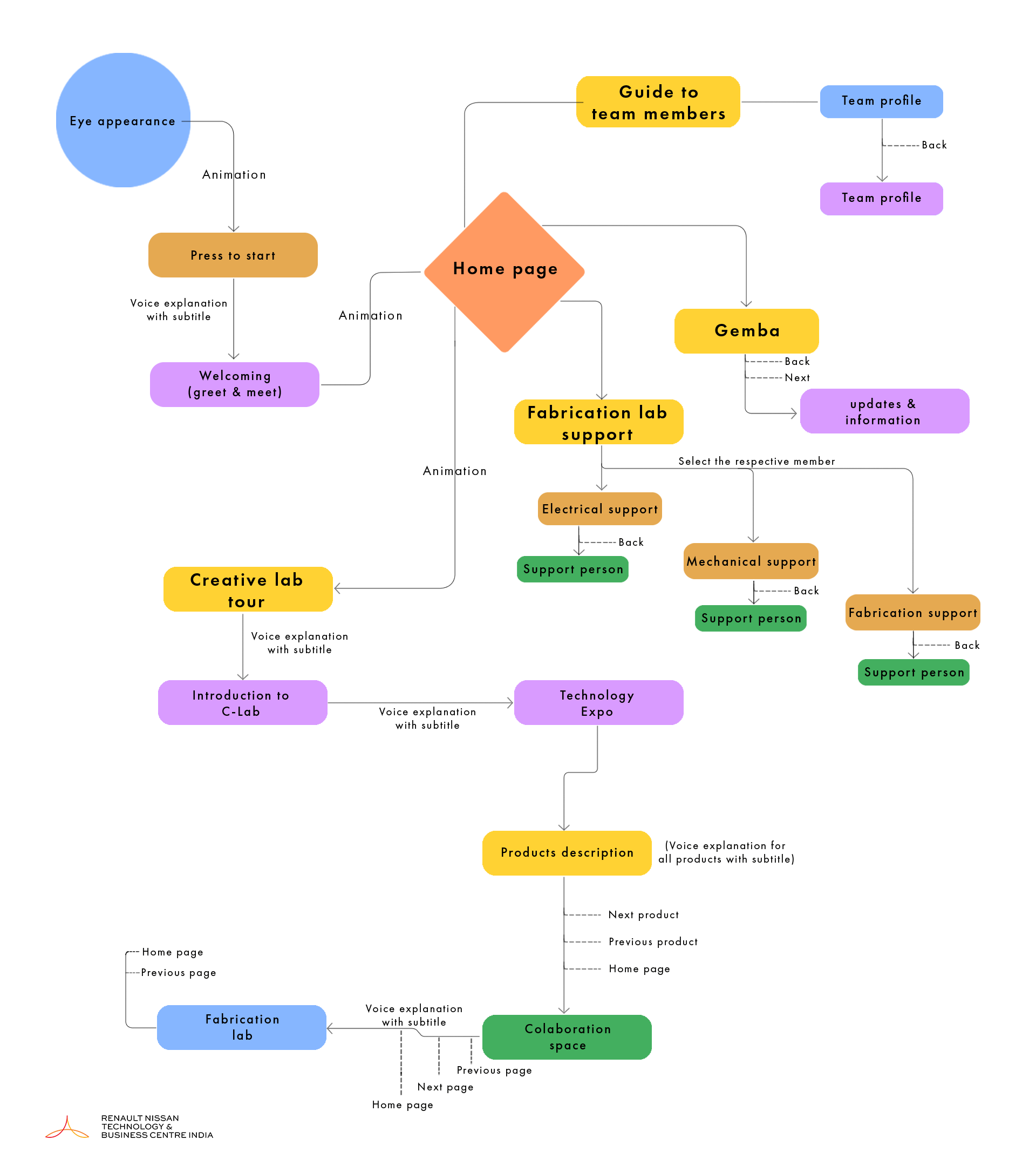
Lo-Fi Wireframes
After confirming our scenarios, we started to put together some of the foundational framework of the Toto which we made initially. working through the low-fidelity wireframes helped us edge out some of the initial features that weren’t pivotal to the user experience in the end.
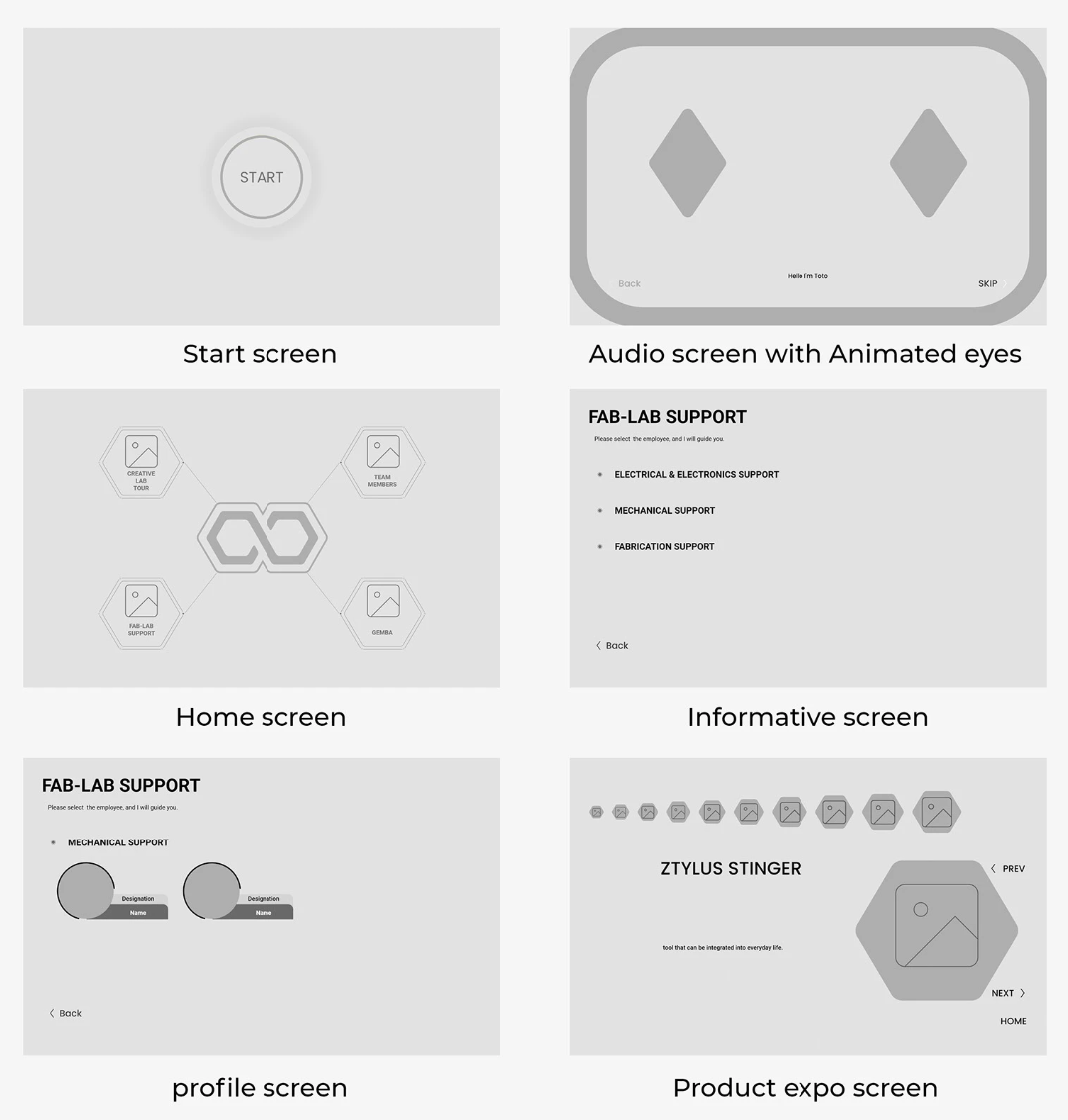
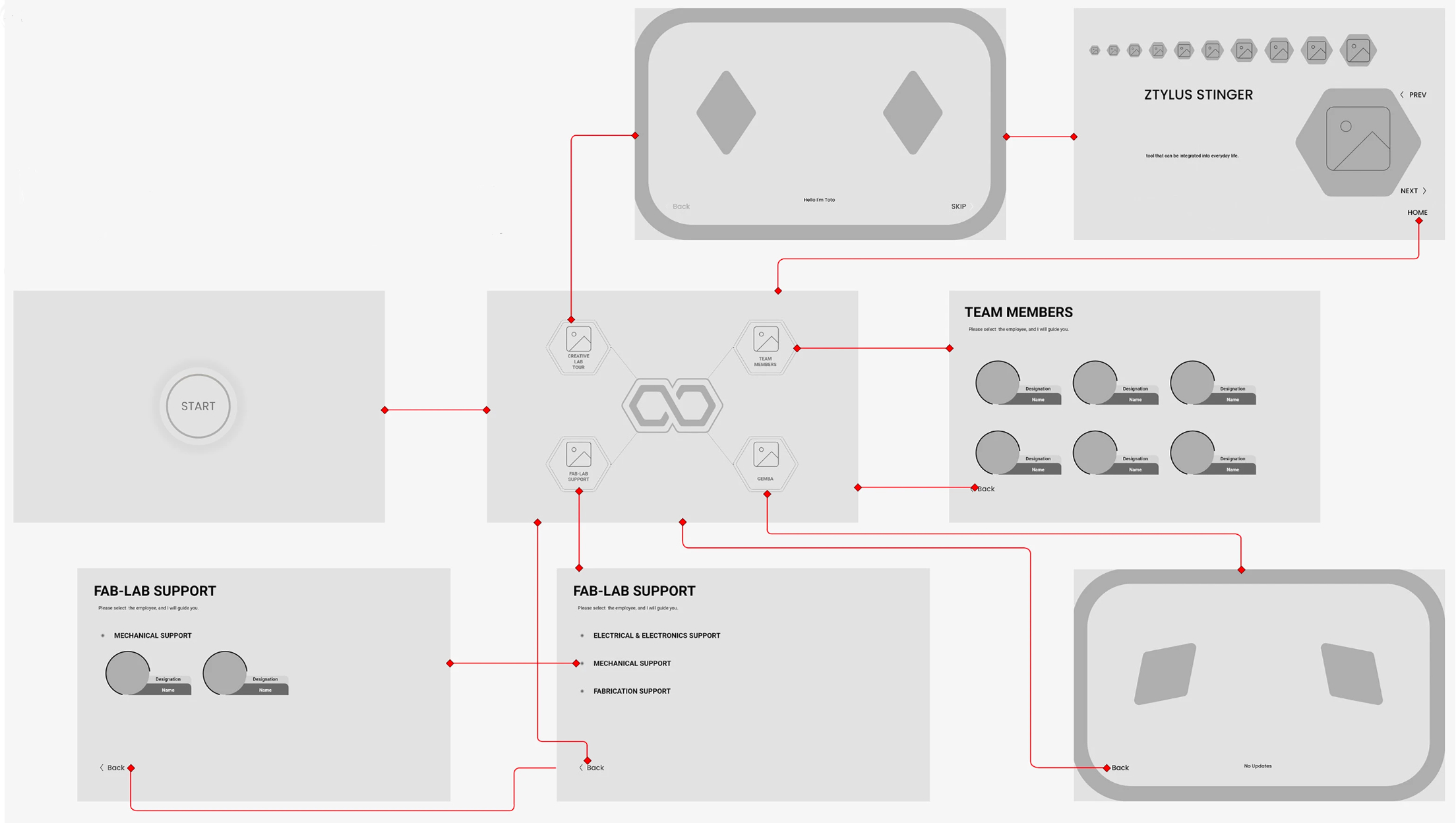
Final Design
After solidifying the foundational wireframes, we were able to take feedback from team members from testing sessions and started to design our final design. we used animations and audio throughout the product to communicate intractable elements to the Users
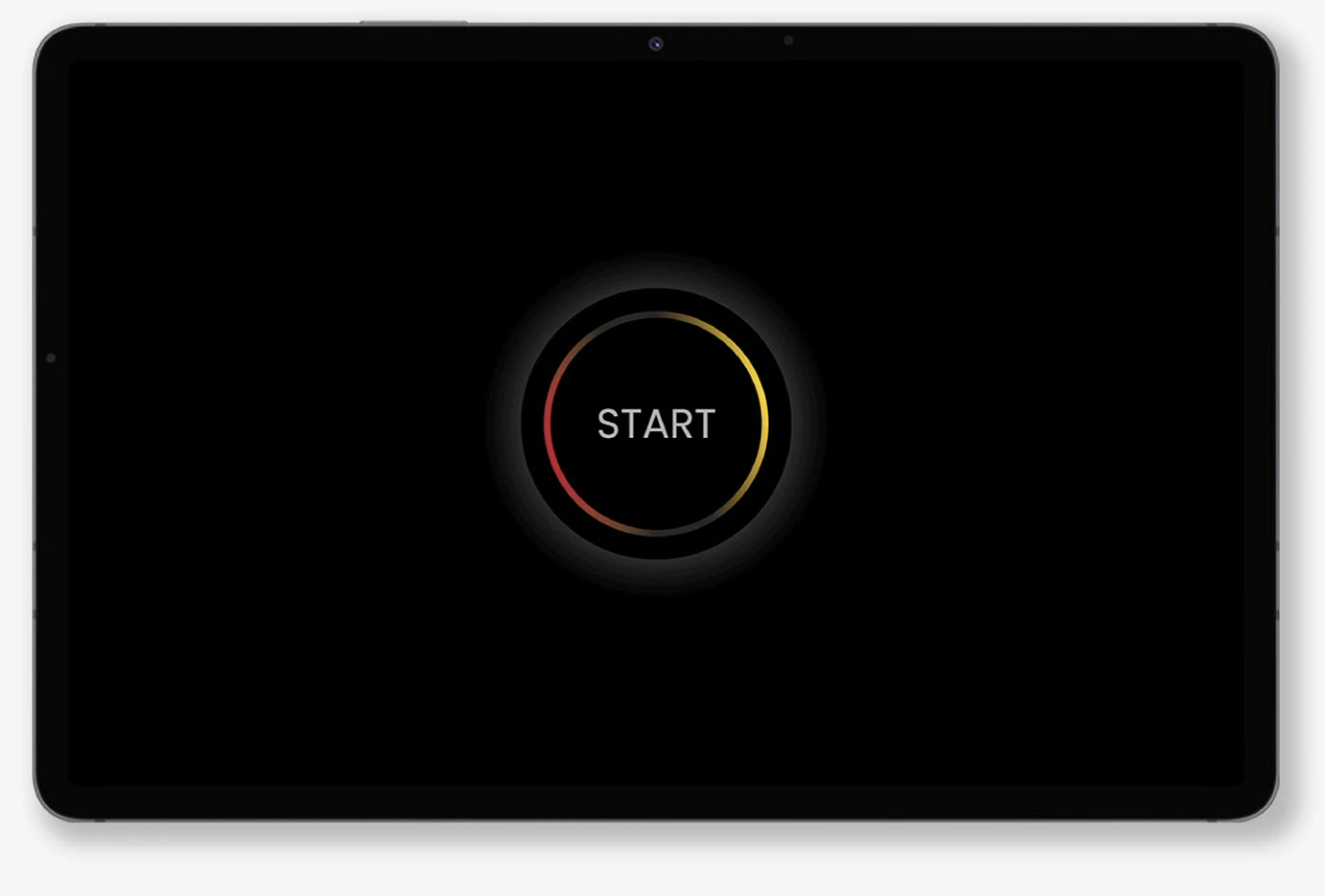
Start Screen
Start screen with the animated start logo. Once the visitors near to Toto start screen appears to start it’s interaction.
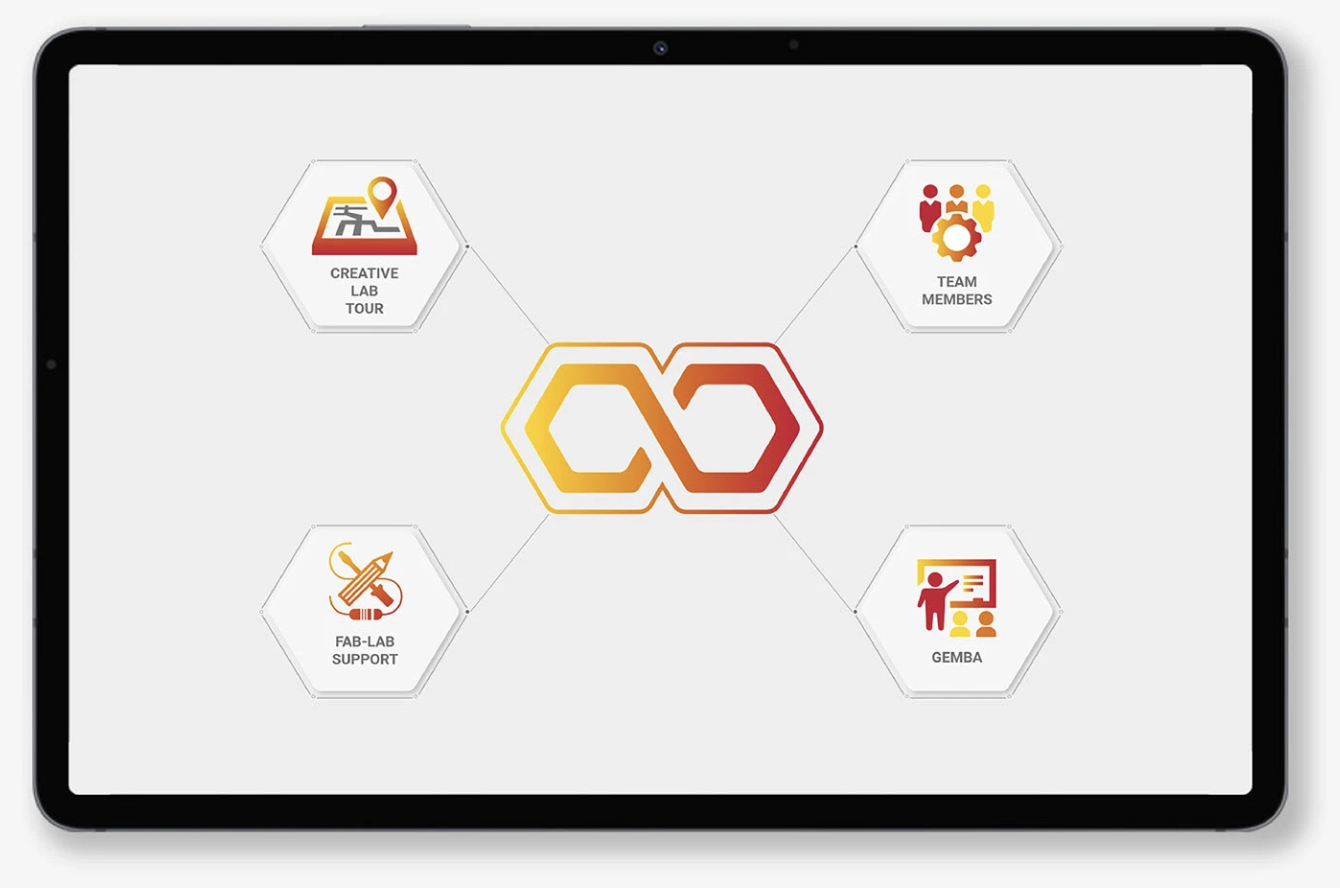
Home Screen
Home screen appears followed by the welcoming Screen. This screen contains the four main options lab tour, support, team members and events. visitors can select any of the option to proceed further
Voice Interaction
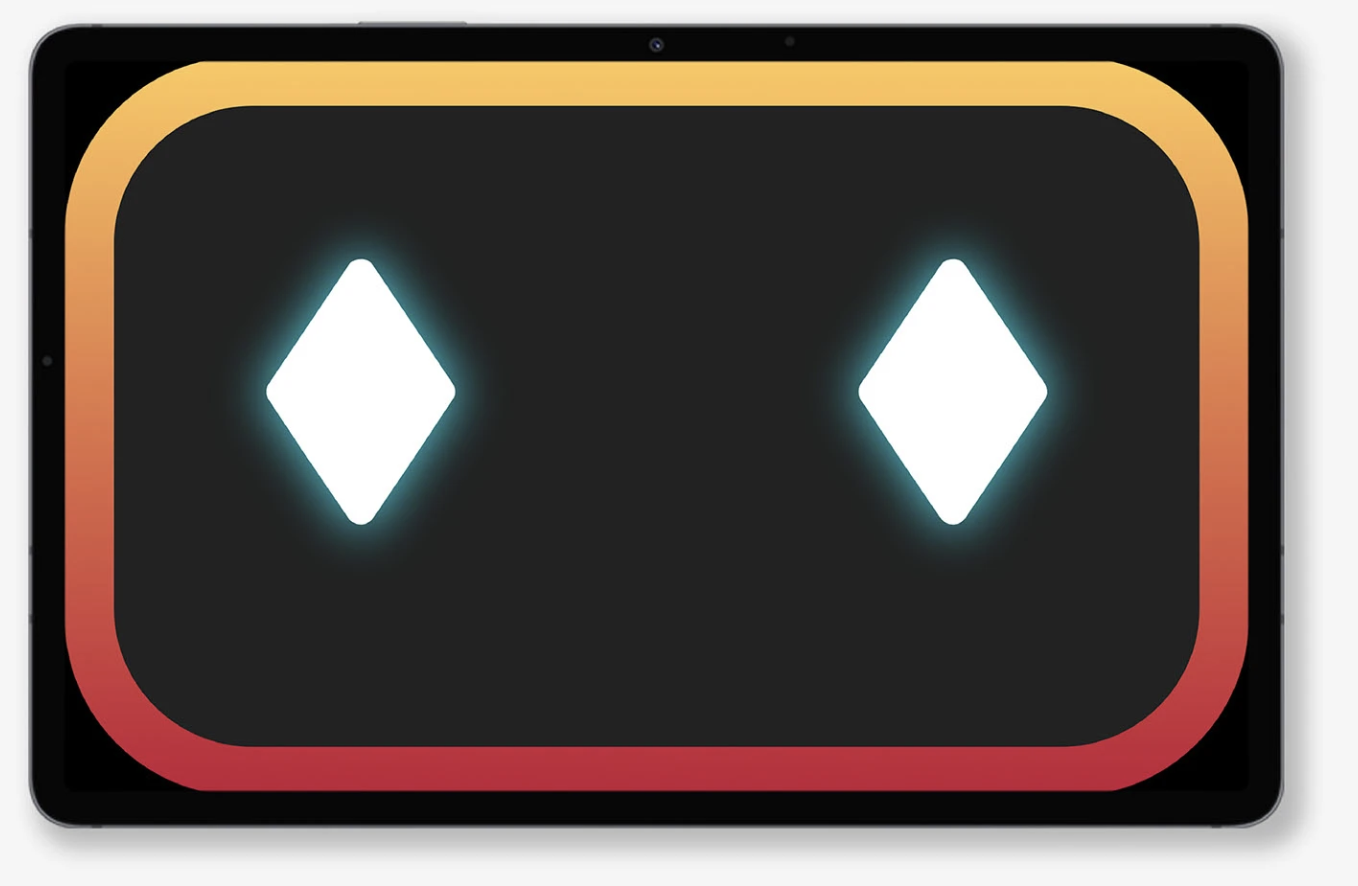
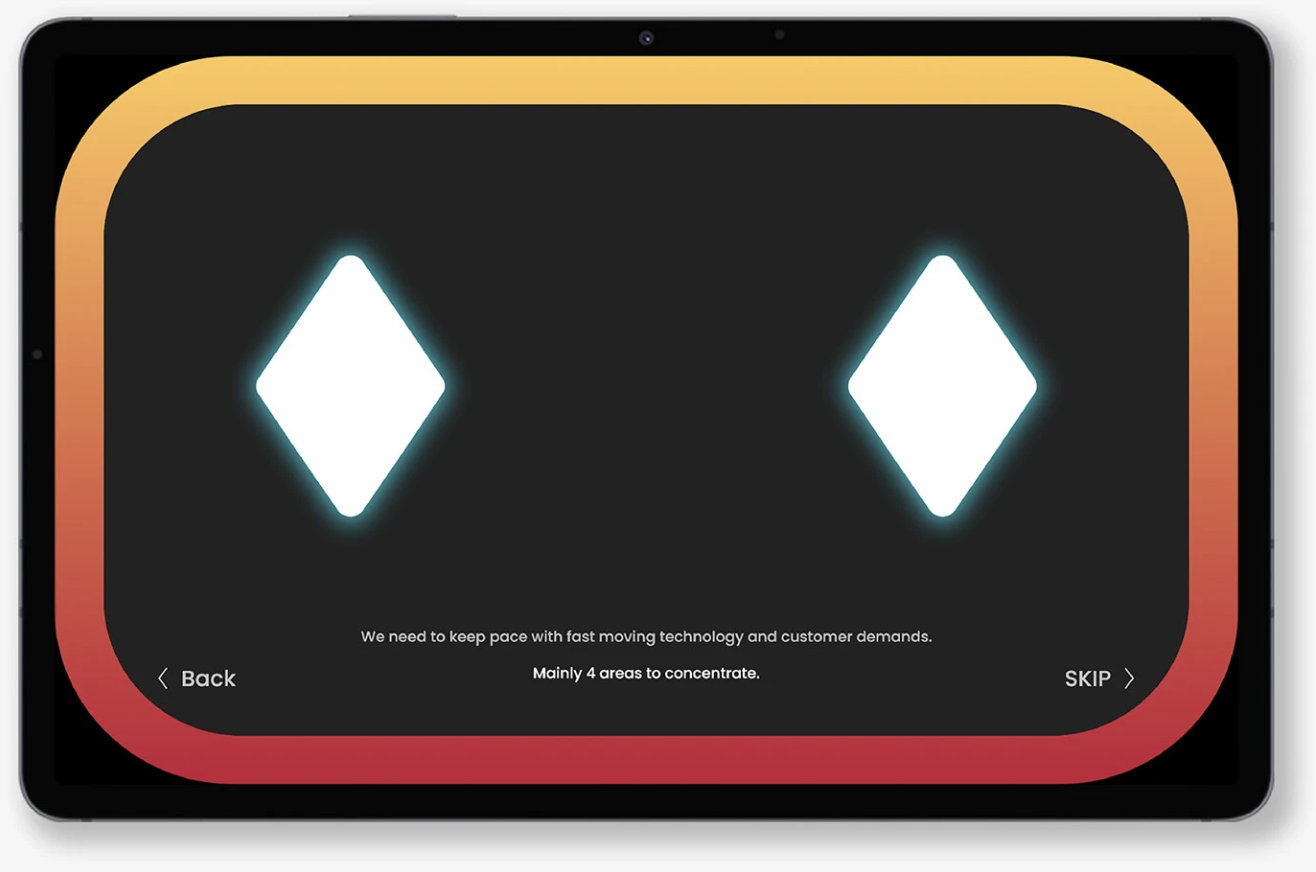
This screen is used for the voice interaction. 75% of the interaction will be audio explanation with captions, so this screen keep interaction clear and active with the eye zoom in out animation.
Once visitors start lab tour Toto will explain about creative lab with audio and caption with animated eyes
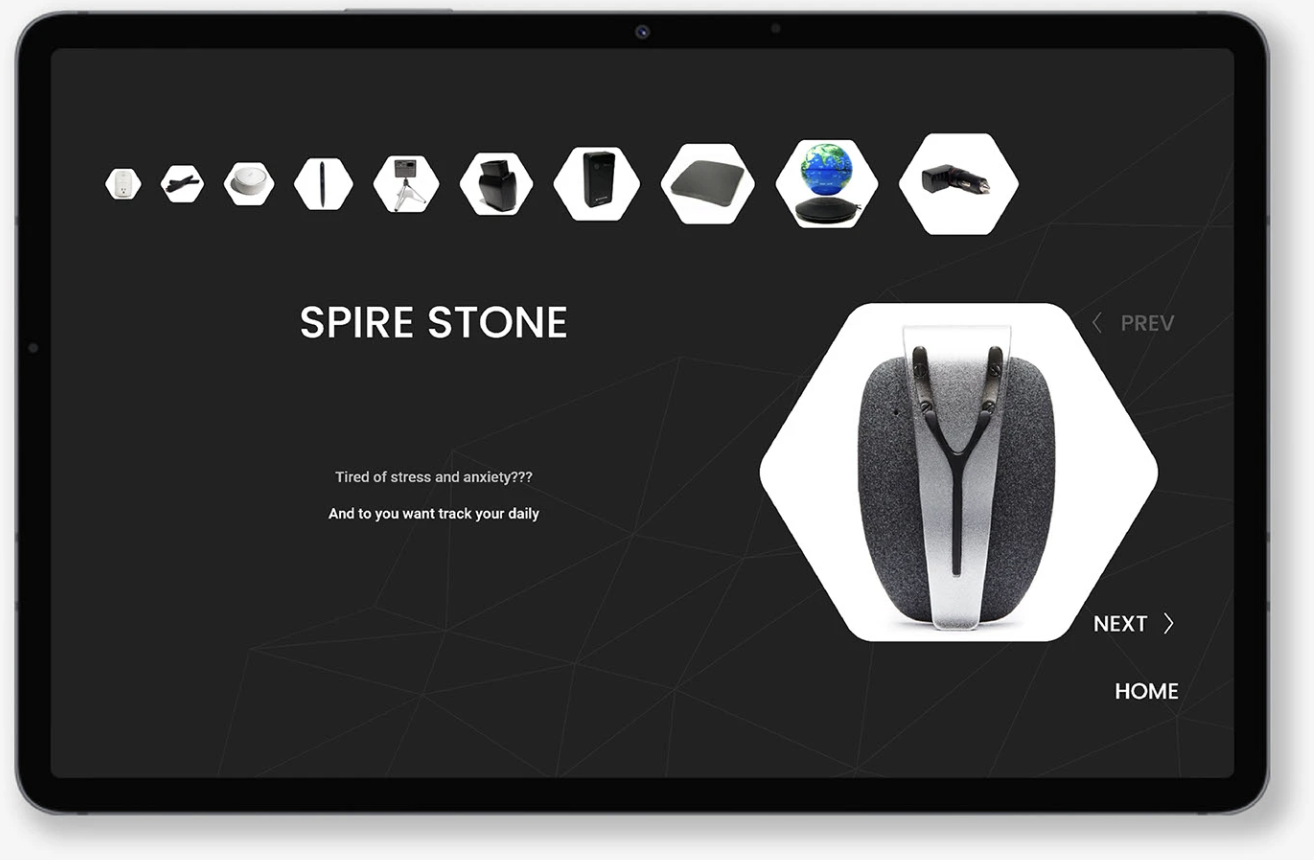
Product Exhibition
Followed by creative lab introduction Toto will guide the visitors to product expo area, in this area products are displayed and each product is explained by the Toto with voice and caption.
Visitors can view next/previous product or skip to home Screen
Fabrication Support
This screen is used for the voice interaction. 75% of the interaction will be audio explanation with captions, so this screen keep interaction clear and active with the eye zoom in out animation.
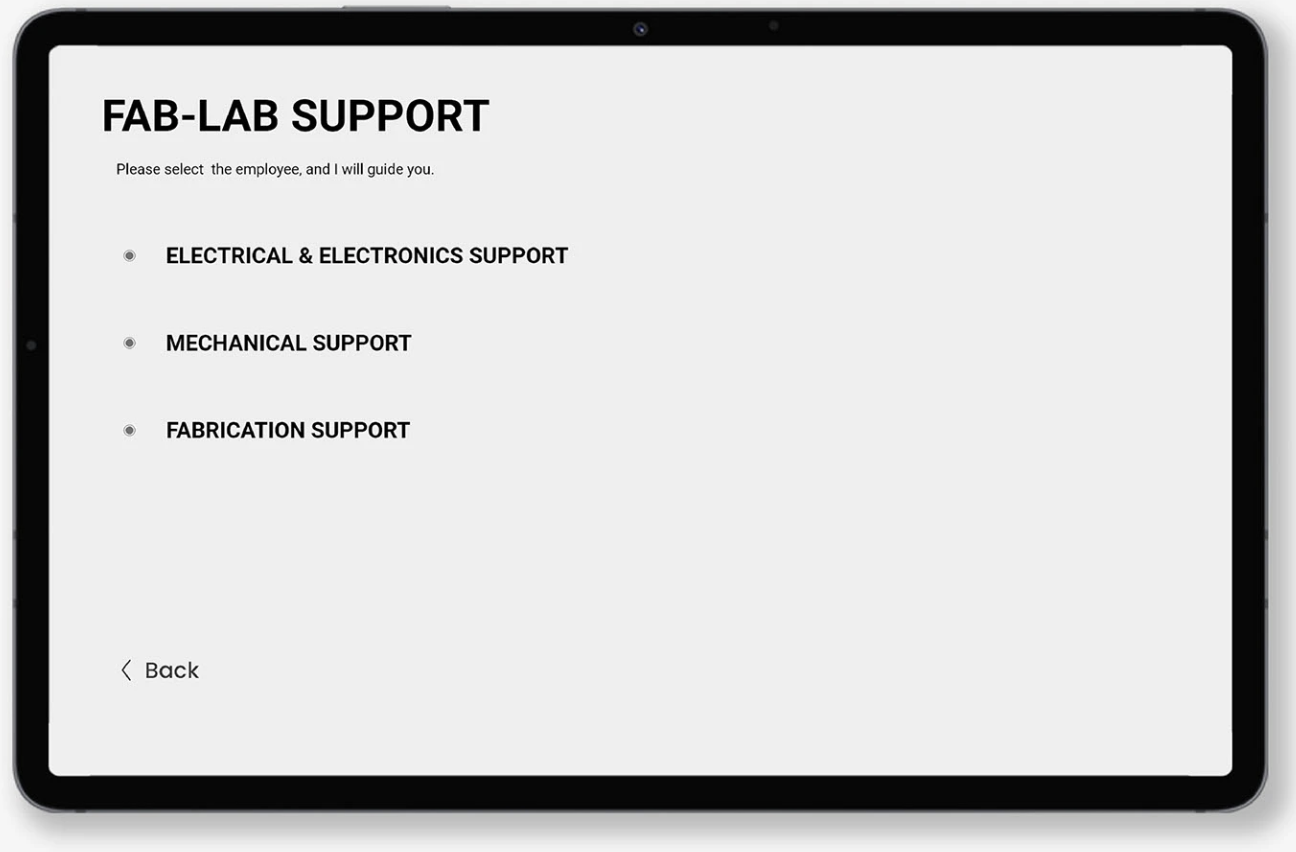
Fab-lab support has three options to select by the visitors, it display various supports like Electrical & electronics, mechanical and fabrication support.
Visitors can select and view the support person as their needs.
Team Members
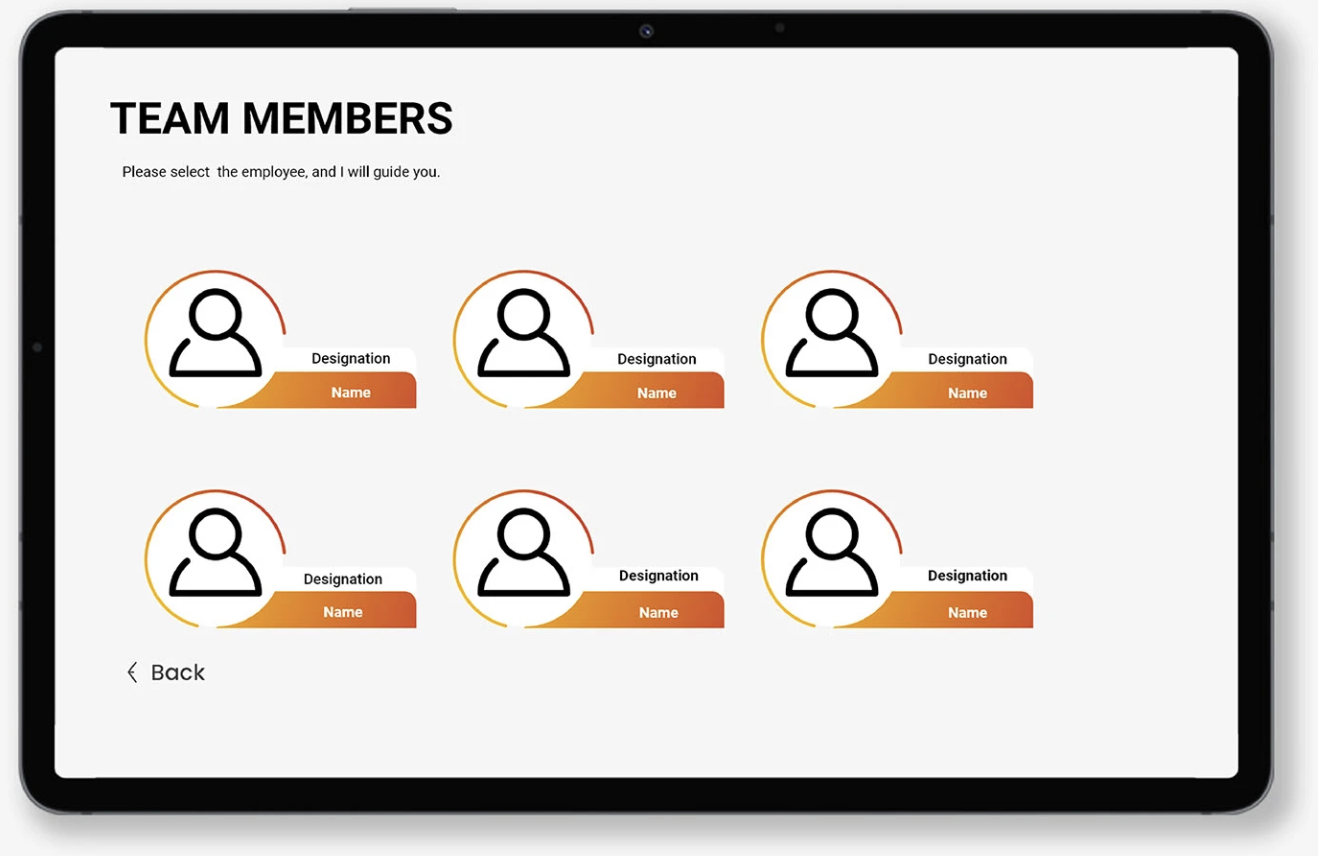
This option provide the information about each of the team members, so the visitor can select the respective profile and Toto will guide the visitor to that person.
Events
This option provide the information about each of the team members, so the visitor can select the respective profile and Toto will guide the visitor to that person.
Emotions
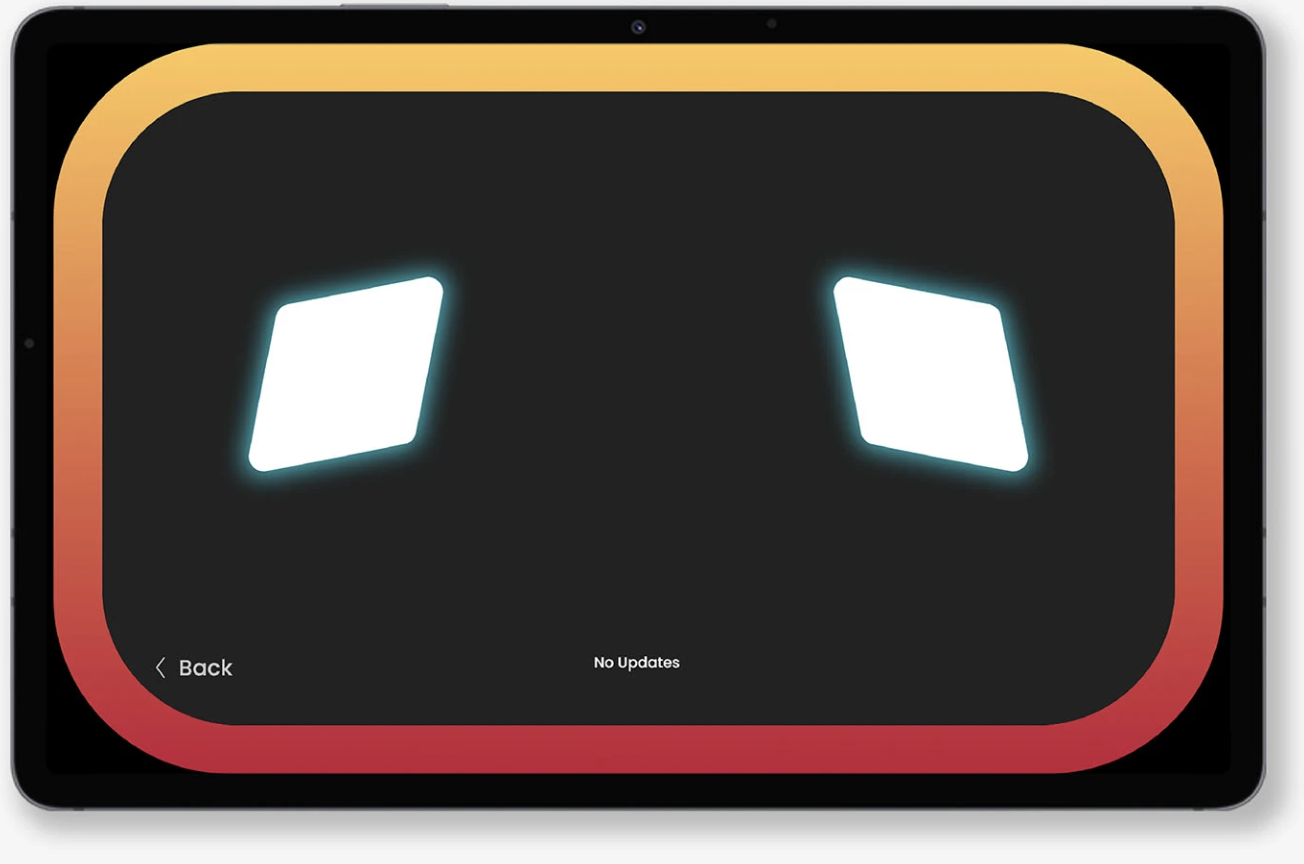
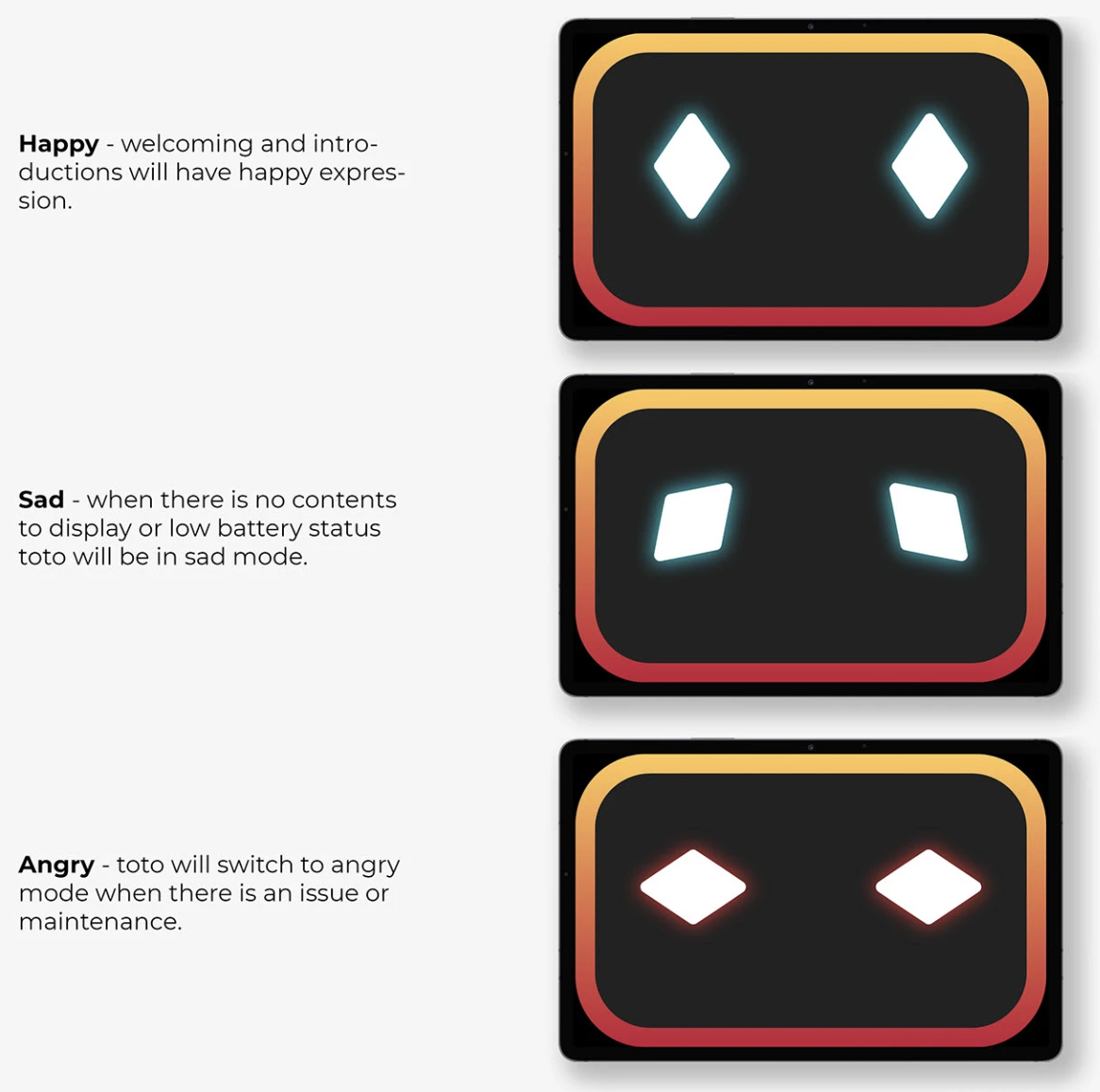
Toto’s eyes will express different emotions like Happy, sad and angry while interacting with visitors.
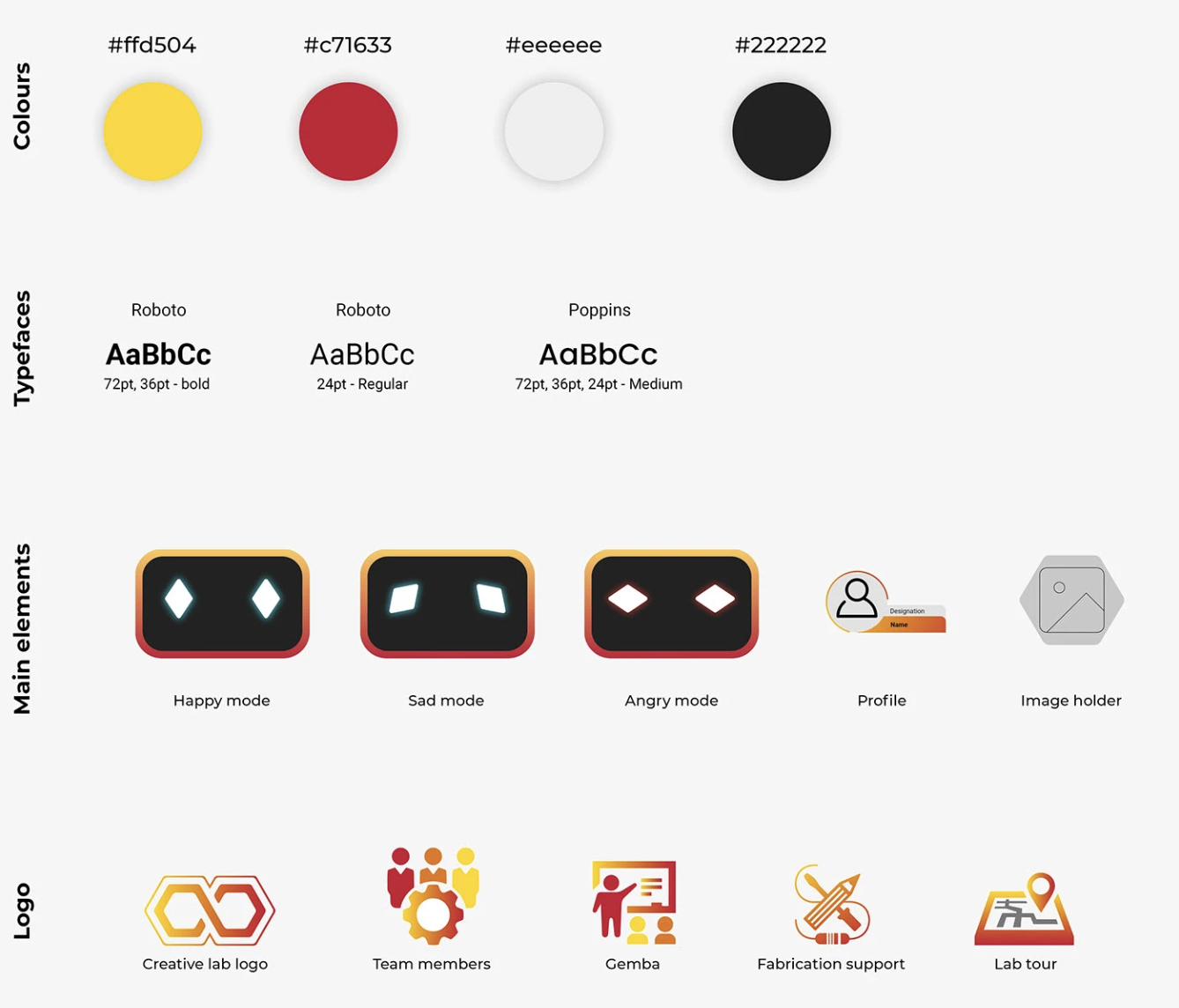
Style Guide
Using vibrant colours and playful elements, the visual style lives up to the hype that Toto promises to deliver the great experience to the users with it’s interface. With a mix of Roboto & Poppins typefaces, we were able to convey a minimal and familiar feel to all the users.